
Home / Learn & Help / Crypto Withdrawal Guide
Your withdrawal.
Checked carefully.
Review the current requirements and destination details before submitting a request.
A request has a journey
Review the destination, then follow the status in your account.

Review the account requirements.
Sign in through the official client portal and open the withdrawal section. Check the available methods, eligible balance and any verification requirements shown for your account.
Do not assume every displayed balance is available to withdraw. Review any restrictions or open-position implications before making changes.
Check the receiving destination.
- 01Asset
Confirm the asset accepted by the receiving service.
- 02Network
Match the selected network at both ends.
- 03Address
Verify the full address and any required memo or tag.
Use receiving instructions from your own wallet or exchange. If a required field or supported network is unclear, ask support before submitting.
Review the request.
Read the amount, any displayed fees or limits, and the destination details. Follow the account’s confirmation steps. Keep the withdrawal reference after submission.
Follow the status.
Account processing and blockchain delivery are separate stages. If a transaction hash is provided, check it on the correct network. Also check whether the receiving service has credited the funds.
If the status is unclear, ask support to review the existing request before submitting another.
Get help with a request.
Provide the withdrawal reference, selected asset and network, amount, and transaction hash if available. Never send wallet credentials or recovery phrases.
For account-specific questions, use the Help Center inside your signed-in client portal. If you cannot sign in, contact support@arkstonetradingpartners.com. Never share passwords, private keys or recovery phrases.
Read the USDT deposit guide →Explore MoonPay.
MoonPay is an external service to consider for buying crypto with traditional currency or selling supported crypto for a payout, where available.
Check your country’s eligibility, identity-verification requirements, supported assets and networks, fees, limits and available payment or payout methods directly with MoonPay. Buying and selling availability can differ.
MoonPay’s own terms and privacy information apply when you use its service. Direct questions about a MoonPay transaction to MoonPay support.
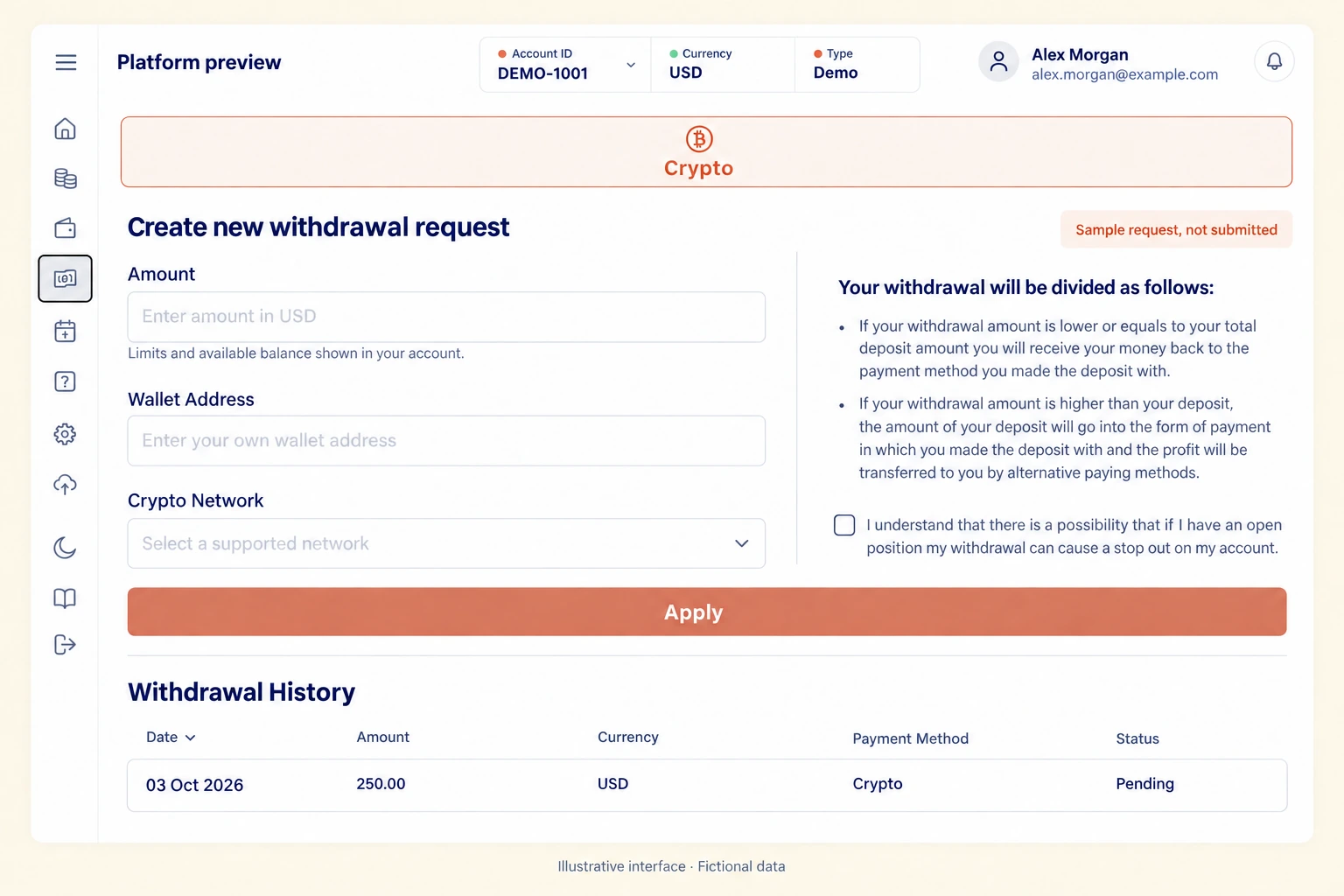
Review the request before submitting
Check the amount, your own wallet address and the supported network. Read the withdrawal terms and margin warning shown in your account. This example form has not been submitted.
Print this page or choose Save as PDF in your browser.